What actually is a controller? That was the opening question of the workshop Prototyping controllers with MakeyMakey, which Pat Mächler from Starship Factory ran on Tuesday, 20 October 2026 with Rheinleben’s Tagesstruktur, a structured day programme. The goal: to build your first controller of your own and learn how an idea turns into a prototype.
What Rheinleben’s Tagesstruktur does
The Stiftung Rheinleben is a non-profit foundation in Basel. It creates spaces for people with a mental illness or under mental strain, so they can shape their lives as independently as possible. Alongside advice for those affected, their relatives and employers, it offers services around housing, work and Tagesstruktur.
Tagesstruktur ENTWICKLUNG (Entwicklung means development) is for people who want to work out where they stand and what they want from the future. The aim is to (re)discover your own abilities, build on them and so improve your quality of life in the long term. The path can lead to paid or voluntary work, or to a self-determined everyday life.
Nobody goes through this alone. The social side is a firm part of the programme:
- Development groups: In groups of 10 to 15 clients, the focus is on sharing experiences and on support for your own process.
- Project room: This is where personal projects happen, from painting, pottery and sewing to craft work. There’s also room for practical things like post, bills or tax returns, and professionals are there when needed.
A makerspace workshop fits in well with that. We’re also about trying new things and finding out what you can do. A prototype doesn’t have to be perfect, and if something doesn’t work the first time, that’s simply part of it.
What is a controller?
Say controller and most people think of a gamepad. Pat showed how much further the idea reaches: from a home-made box of colourful push buttons to the data glove from GePS, which turns gestures into music. A controller is anything a person uses to tell a machine what to do.
It often starts with very simple materials. Even in medical technology, devices are first built as rough corrugated cardboard models to try out how they handle. Start with cardboard and you can test early and make mistakes cheaply.
MakeyMakey: everything becomes a key
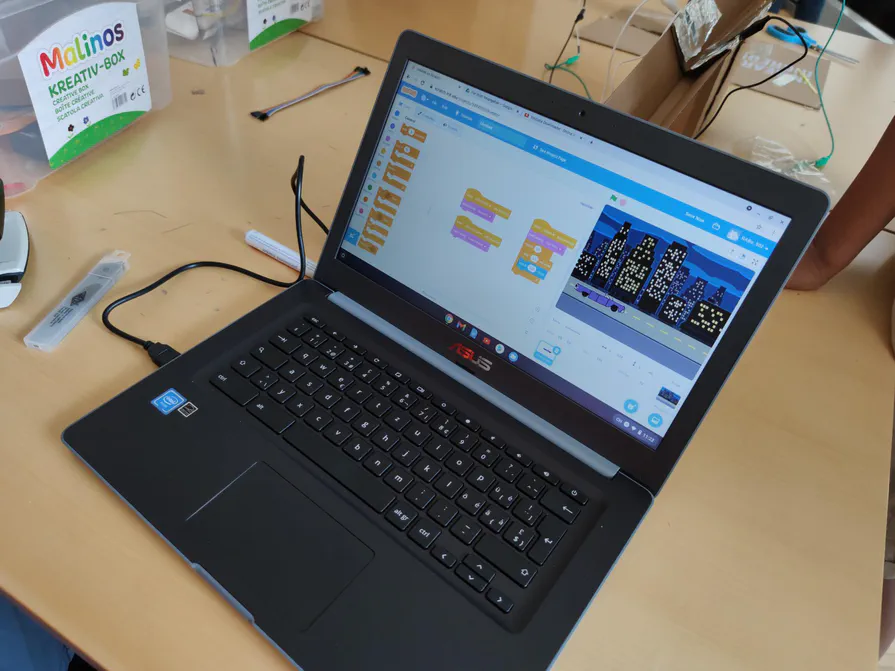
The workshop’s tool was the MakeyMakey, a small circuit board by Jay Silver and Eric Rosenbaum. It shows up on a computer as a keyboard and mouse. With alligator clips, you connect it to anything that conducts electricity: aluminium foil, fruit, water. Touch the object while you’re connected to the board’s earth and the circuit closes, and the computer thinks a key has been pressed. The MakeyMakey video shows what that looks like.
That’s what makes it so easy to get started: nobody has to solder or write code to get something working. You don’t learn about circuits from a textbook here, but with your own hands. The same idea was also the starting point in Interaction Lab 3 with future interaction designers: everything is a keyboard.
Finding ideas: think alone, decide together
Before you build, you need ideas. And it’s worth looking at why classic brainstorming sessions often achieve so little: whoever’s in charge sets the direction, unusual thoughts get lost, and you constantly have to switch between listening and thinking for yourself.
It’s better to separate two steps:
- Developing ideas: on your own, so everyone can think their own thoughts through to the end.
- Sharing ideas and deciding: as a group, because this is where other people’s perspectives help.
One method for the first step is Crazy 8s: eight ideas in eight minutes. The time pressure switches off the inner filter that would otherwise immediately say that’s no good. Children are often better at this than adults: ask them what you could do with a paper clip, and they won’t stop any time soon. So creativity isn’t something you have to learn from scratch, it’s something you can allow back in.
Three rules for good controllers
Whether a controller works doesn’t just depend on the technology. Three principles from interaction design help:
- Affordance: The shape shows how something is used. A button invites you to press it, a handle to pull it. At best, a controller needs no instructions.
- Mapping: The control and its effect belong together. When the stick goes up, the game character moves up too.
- Fitts’s law: The bigger and closer a target is, the faster and more reliably you hit it. So whatever gets used often belongs on the controller big and within easy reach.
These are the same rules used to design the controls of cars and medical devices. But you can try them out just as well on a controller made of cardboard and aluminium foil.
Showing it is the first user test
A workshop like this ends with a presentation, which is also the first user test: as soon as someone else picks up the controller, you see whether the idea makes sense without an explanation and where it still needs work.
So a single workshop covers quite a lot: understanding technology, developing your own ideas, deciding as a group, building something with your hands, showing it to others and taking feedback on board. That’s learning by doing, and it’s exactly what makerspaces are for.
Thanks
A big thank you to the clients and the team of Rheinleben’s Tagesstruktur for taking part, and to Pat for the workshop.
Feel like tinkering yourself? Drop by one of our open evenings, Tuesdays and Fridays from 19:30, or become a member. Planning a workshop with your organisation? Get in touch on our forum, we’d love to hear from you.