
For four weekends, Starship Factory was a classroom: students of the HF Interaction Design programme at the Schule für Gestaltung Basel (a Swiss college of higher vocational education in design) took their practical module Interaction Lab 3 with us. The goal: to design and build interfaces that don’t end at a screen.
Why a makerspace as a place to learn?
Interaction designers have long stopped designing only apps and websites. Controls in a car, at a charging station, in a hospital or on a piece of furniture call for an understanding of how software, electronics and material work together. The school’s Applied Technologies module is meant to build exactly that understanding: if you know how an idea can be built, you design better solutions from the start.
That’s why Interaction Lab 3 was deliberately set up as an experimental tinkering lab, in cooperation with us. The learning goals:
- conceive and design physical and alternative interfaces,
- use sensors, actuators and microcontrollers experimentally,
- apply hardware and software tools to build working prototypes,
- try out your own ideas iteratively by tinkering, and develop them further.
The workshop supplied what a classroom doesn’t have: soldering stations, components, 3D printers and a crew that likes explaining things. Pat Mächler opened the course with the motto that sat above everything else: “I hear and I forget. I see and I remember. I do and I understand.”
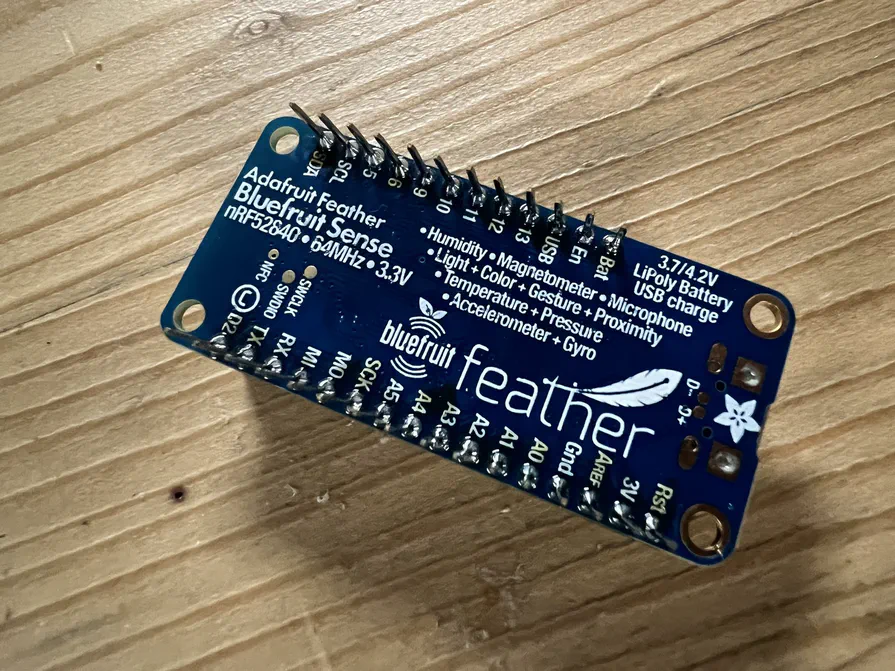
Each module ran over a Friday and a Saturday. Several modules used the same board, the Adafruit Feather nRF52840 Sense: a microcontroller with Bluetooth, accelerometer, gyroscope, magnetometer, light, gesture and proximity sensor, microphone, plus temperature, pressure and humidity measurement. A single board you can try out almost any kind of interaction with.
Module 1: Playful interfaces
George Cave of Interaction Magic builds prototypes for controlling motorbikes, cars and charging stations for a living. His core message: designers mostly prototype digitally and hardly ever physically. Those two worlds should overlap.
The way in was strikingly simple: everything is a keyboard. A microcontroller can present itself to a computer as a USB keyboard. A button on the board then types a letter, and Figma can react to exactly that keypress. That way a home-made control drives a clickable mock-up, say a car dashboard or a charging station screen. Hardware and UI can be tested together long before anything gets manufactured.
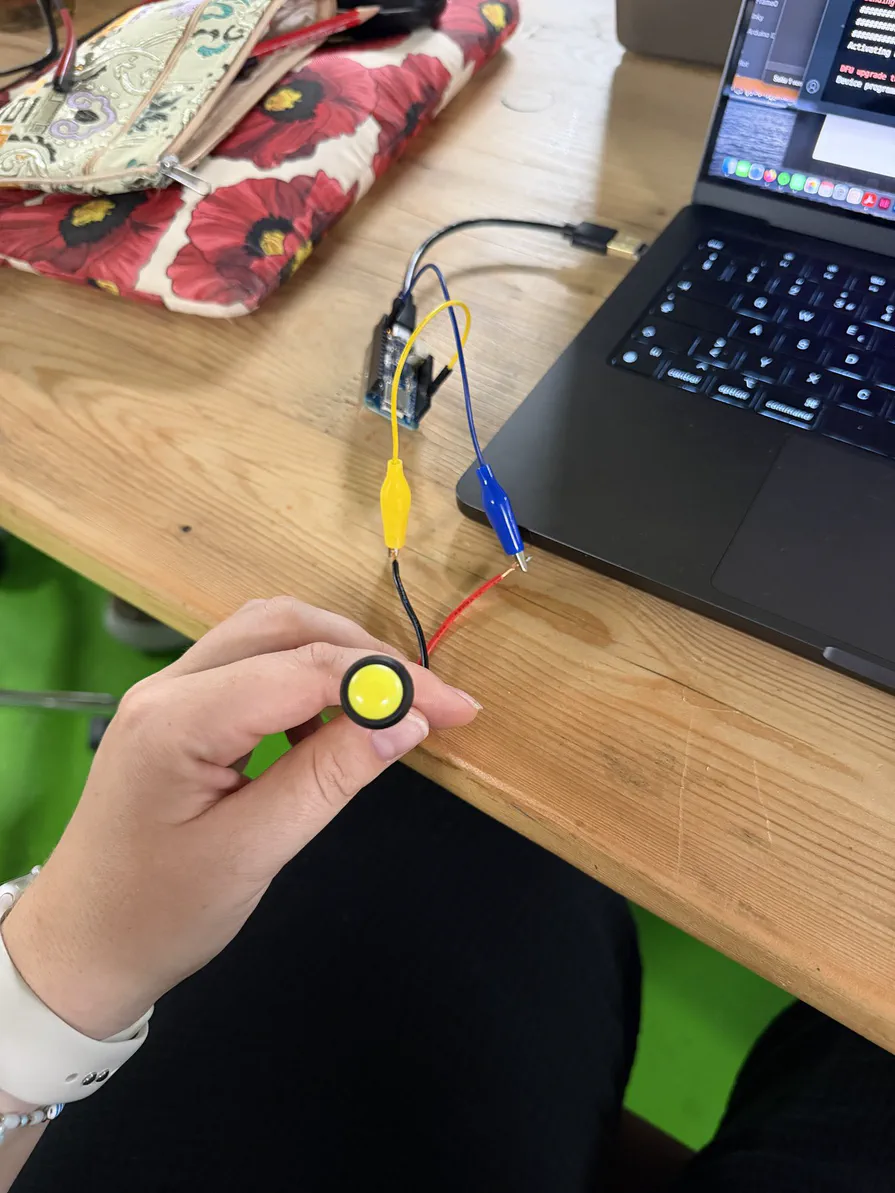
It came with a lesson everyone only wants to learn once: a program that presses keys non-stop can lock up your own laptop. So every program gets a safety stop, a pin that halts the program at startup.
From there it moved on to wireless communication. The students compared Wi-Fi, Bluetooth, LoRa and cellular for range, power draw and effort, and built a Bluetooth keyboard. The result was a Wizard-of-Oz jukebox: an object that seems to play music on its own but is really remote-controlling Spotify on the laptop. It wrapped up with game controllers that drive a computer game by shaking, tilting or shouting.
Module 2: AI agents and 3D printing
Antonio Lamb of the Starship crew combined programming with AI agents and digital fabrication. First, the terminology: the language model is the engine, the harness (here the open-source tool opencode) steers it and hands it tools. Together they make the agent.
The most important lesson, though, wasn’t a technical one: your own understanding stays the bottleneck. The better agents get at correcting themselves, the more tempting it is to step out of the loop. But if you no longer understand what’s being built, you can neither see problems coming nor fix them, and the technical debt grows. “Just keep vibe coding, we can always fix it later” is not a plan.
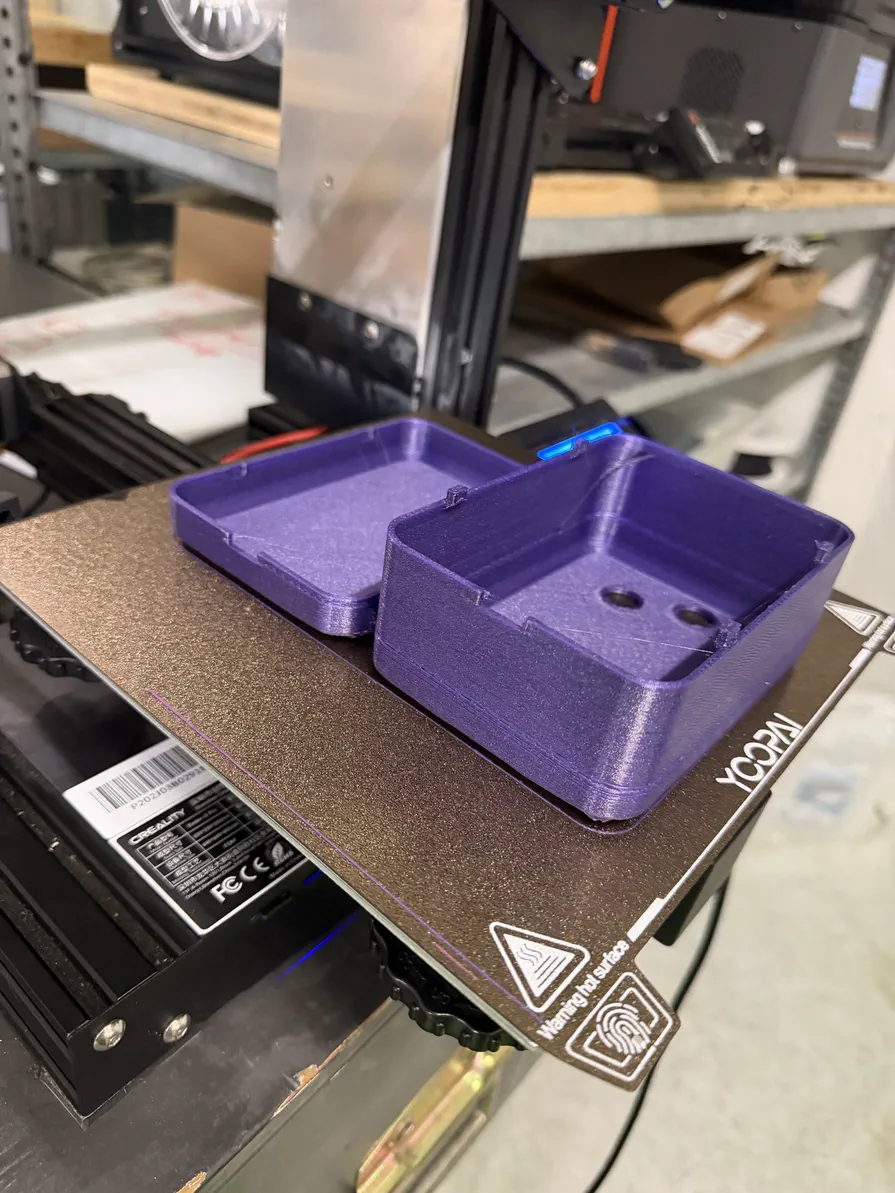
On Friday the students used the agent to program their own browser game. Then they designed the case for a six-button controller in an editor. They placed the buttons by hand and described shape changes to the language model in their own words. Along the way they learned how to put guard rails on an AI: the software checks every proposal for whether it’s printable and keeps the electronics, the USB opening and the snap fits clear. Only then does build123d turn it into a 3D model. They prepared the files for printing in the slicer, and the cases printed overnight.
On Saturday it was wiring, flashing the CircuitPython firmware, assembling and playing. The design principles for the controller centred on mapping, affordance and Fitts’s law. The workshop material is openly available on GitHub.
Module 3: Sound interfaces
Robin Michel, also of the Starship crew, brought sound into the workshop. It started with a short history of electronic music, from the theremin of the 1920s through the Trautonium, the Ondes Martenot and the radio studios to the first Moog synthesizer, Wendy Carlos’s Switched-On Bach and the first computer musical instrument, the Fairlight CMI.
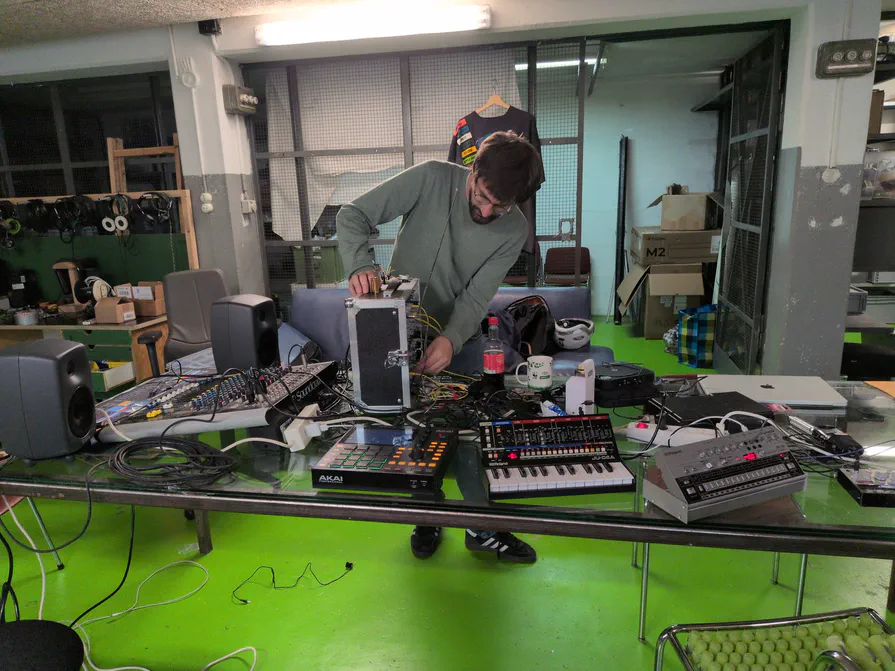
Then it got hands-on: field recording, soldering your own MIDI controller, trying out synthesizers. On the theory side it covered subtractive synthesis and the building blocks of sound design: the noise component, harmonic and inharmonic overtones, the difference between a tone and a noise. The key question for interaction design was mapping: which gesture, which knob, which sensor controls which sound parameter? Saturday added sampling and a composition sketch of your own in a DAW. If you want to keep going, there are free tools such as VCV Rack, plugdata or SuperCollider.
Module 4: The design challenge
To finish, Pat Mächler and Peter Hess (industrial designer at HKT Design) set a task that brought it all together: How can we bring interaction to the everyday objects of a furniture brand? Peter passed on an attitude from his day job in medical design: human-centred design. People are at the centre, the process is iterative, and user feedback drives improvement. And: trust the process.
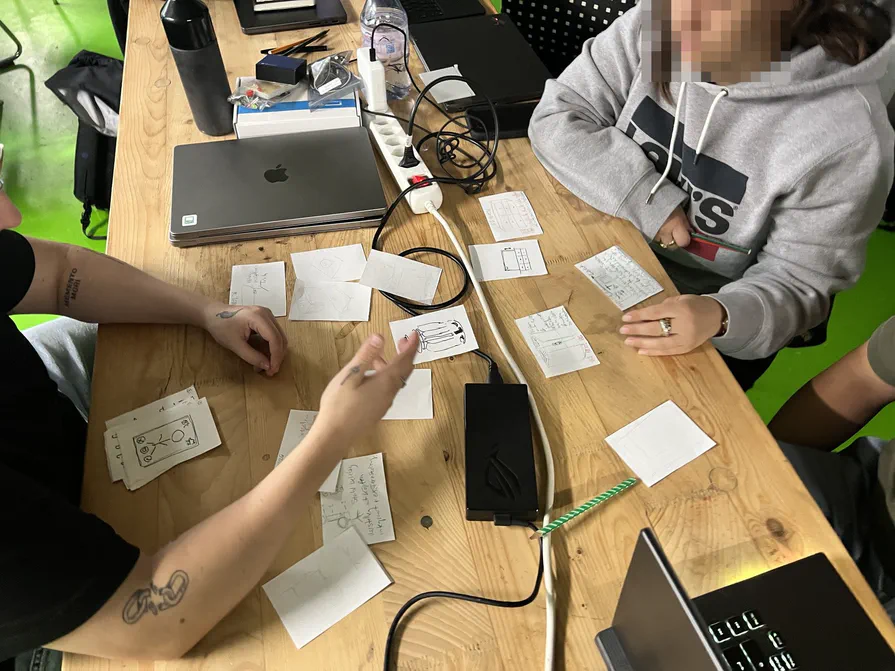
Friday followed a compact design sprint:
- Develop ideas alone. With the Crazy 8s method, each person sketches eight ideas in eight minutes. Quantity over perfection, so you get past the obvious first ideas.
- Decide together. The team presents the sketches, groups them and narrows them down to three ideas using clear criteria: the concept’s potential, its contribution to the goal and the fun of building it.
- Test fast. The three ideas are built as Wizard-of-Oz prototypes, where a person behind the scenes simulates the technology, and tested with users. Then the team commits to one concept.
- Work it out. The chosen concept becomes a working prototype with Arduino and sensors.
The methodology behind it: ideas are best generated alone, because opinions converge quickly in a group and unusual approaches get lost. Discussion, critique and decisions, on the other hand, belong in the team. As inspiration for the technology there was an input on the smart mirror, a semi-transparent mirror with a display glowing behind it.
On Saturday came a second round of testing, a final iteration and the presentation of the concepts as a story. It ended with a barbecue together.
The detours count too
One principle ran through every module: you document not just the result but the way there. The students kept a running record of their starting idea, the technology they used and their key insights in pictures, video and short texts, explicitly including failed attempts and detours. That’s exactly how a makerspace works: you learn the most from what doesn’t work the first time.
Thank you
A big thank you to the module team: Daniel Hunziker and Mario Giudici of associes.ch, Pat Mächler, Peter Hess, George Cave, Antonio Lamb and Robin Michel. And to the students, who filled our workshop with life for four weekends. We enjoyed every solder joint, every printed controller and every odd synthesizer note.
Feel like tinkering yourself? Drop by one of our open evenings, Tuesdays and Fridays from 19:30, or become a member. Planning a course with a hands-on workshop part for your school or company? Get in touch on our forum, we’d love to hear from you.